![shelterbuddy_logo.jpeg]](https://knowledgebase.petloyalty.co/hs-fs/hubfs/shelterbuddy_logo.jpeg?width=65&height=65&name=shelterbuddy_logo.jpeg)
If you need a form to link to the print string of a process receipt (e.g. Adoption, Agency Outgoing/Transfer Out, Delayed Adoption, etc) so they automatically present to be printed along with the finished receipt, follow these steps:
- From the Welcom/Landing page, navigate to Administration
- Navigate to Receipt Administration
- Click the link Add Forms to Print with Receipts
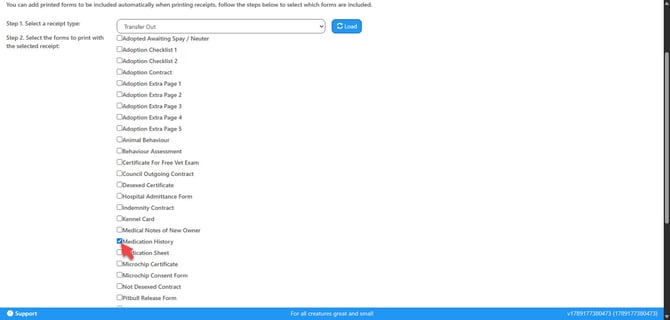
- This page will load:
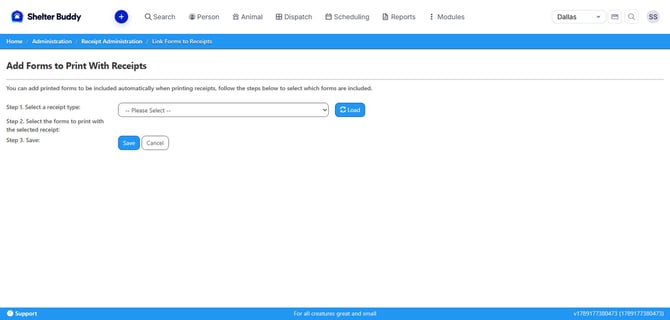
- Select the Receipt you'd like the form to link to from the drop-down at the top of the page.
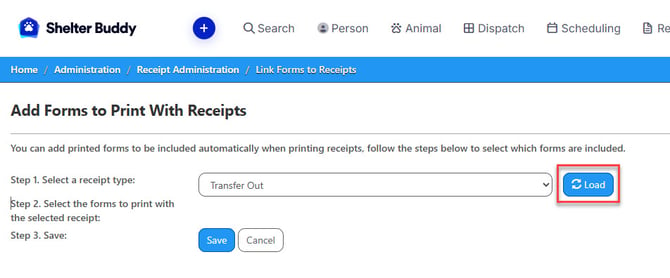
- When the name of the Receipt is in the drop-down, click [Load]
- This will load the options for all the forms that can be linked to that document.
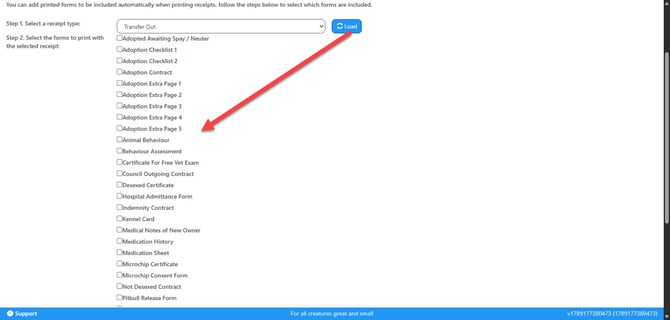
- Any form that is already linked will show with a tick against it.
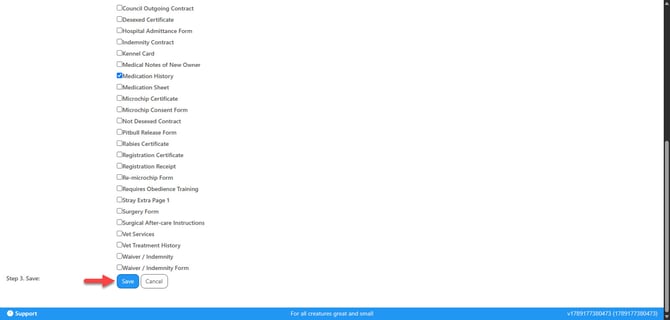
- Click the box to place a tick against any additional forms you'd like to add to the print string.
- Click [Save]
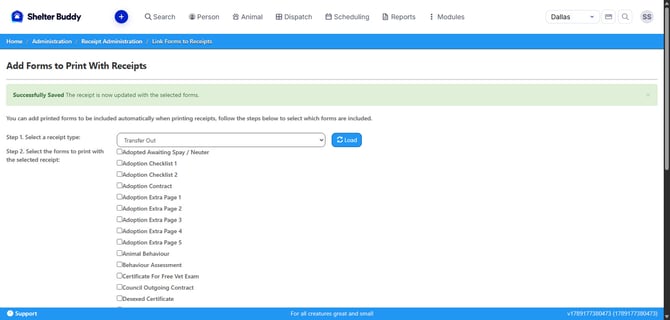
- You will return to the top of the page. You should see a success banner across the top: