Product Update April 7, 2026: Tax Updates
ShelterBuddy is improving the way taxes and receipts work — bringing them into our modern UI and making the overall experience cleaner and more flexible. Here is everything you need to know before it goes live.

![]()
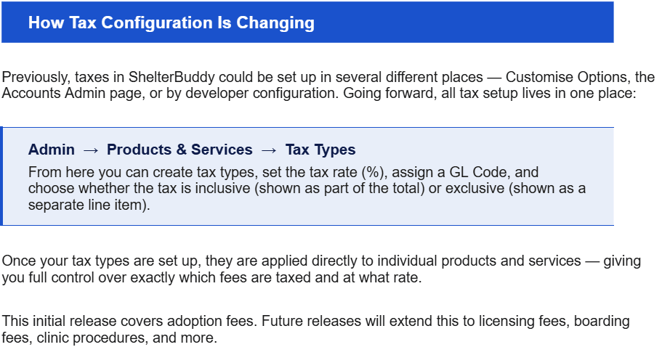
We are updating two things together: the Receipt Page is getting a fresh new look as part of our Modern UI rollout, and the way taxes are configured in ShelterBuddy is being simplified and centralized.

|
What |
How it works now |
|
Payment methods |
A payment drawer opens on the side of the screen. You can split payments across up to 5 different methods. |
|
Adding a receipt |
Click 'Person' in the menu → '+Receipt', or receipts are created automatically as part of processes like adoptions. |
|
"Update and Print" button |
Renamed to 'Update and Send' — reflecting that most shelters email rather than print receipts today. |
|
Purchase Order / External Transaction fields |
Consolidated into a single 'Purchase Order' field at the bottom of the page. |
|
Batch ID, Batch Description, Apparel Category fields |
These fields have been removed from the receipt page. |
|
Payment-specific fields (money order, cash drawer, etc.) |
These fields now appear inside the relevant payment method drawer, keeping the main page clean. |
|
Campaign field |
Only appears when adding or editing a product or service line item. |
|
Refresh receipt status button |
Clicking this checks for any payments or process updates that have occurred since the receipt was opened. |
|
Receipts older than 5 years |
These receipts are now locked and can no longer be edited — this preserves your historical financial records. |


We rolled out these changes to our Australian clients earlier this year, and that experience helped us make the Canadian release even smoother. Here is what we did differently to prepare for you:
- Engineering fix included: A technical issue identified in the AU rollout has been fully resolved — it is baked into the April 7 update, so Canadian clients will not encounter it.
- Visual preview: We are sending this newsletter with a clear description of every change so nothing comes as a surprise on go-live day.
- CS testing: Our Customer Success team has completed end-to-end testing of this update from a user perspective before release.

- In-app notification: You will see an in-app banner when you log in on 7 April, highlighting the key changes.
![]()
When you log in on 7 April, here is what will be different:
- The receipt page will have a new, cleaner look.
- Payment methods will open in a drawer on the right side of the screen.
- All your existing receipts, financial data, and settings are completely preserved.
- Tax types are now configured in Admin → Products & Services (your existing tax setup has been migrated automatically).
- You will see an in-app banner pointing you to guidance and resources.

To help you get comfortable with the new experience, we have prepared:
- An updated Knowledge Base article walking through the new receipt page step by step.
- A short training video showing the new layout in action.
- Direct outreach using our Customer Portal, with any questions.